Cross-Platform AI Agents: Building a Shared Gemini + Apple Intelligence Assistant

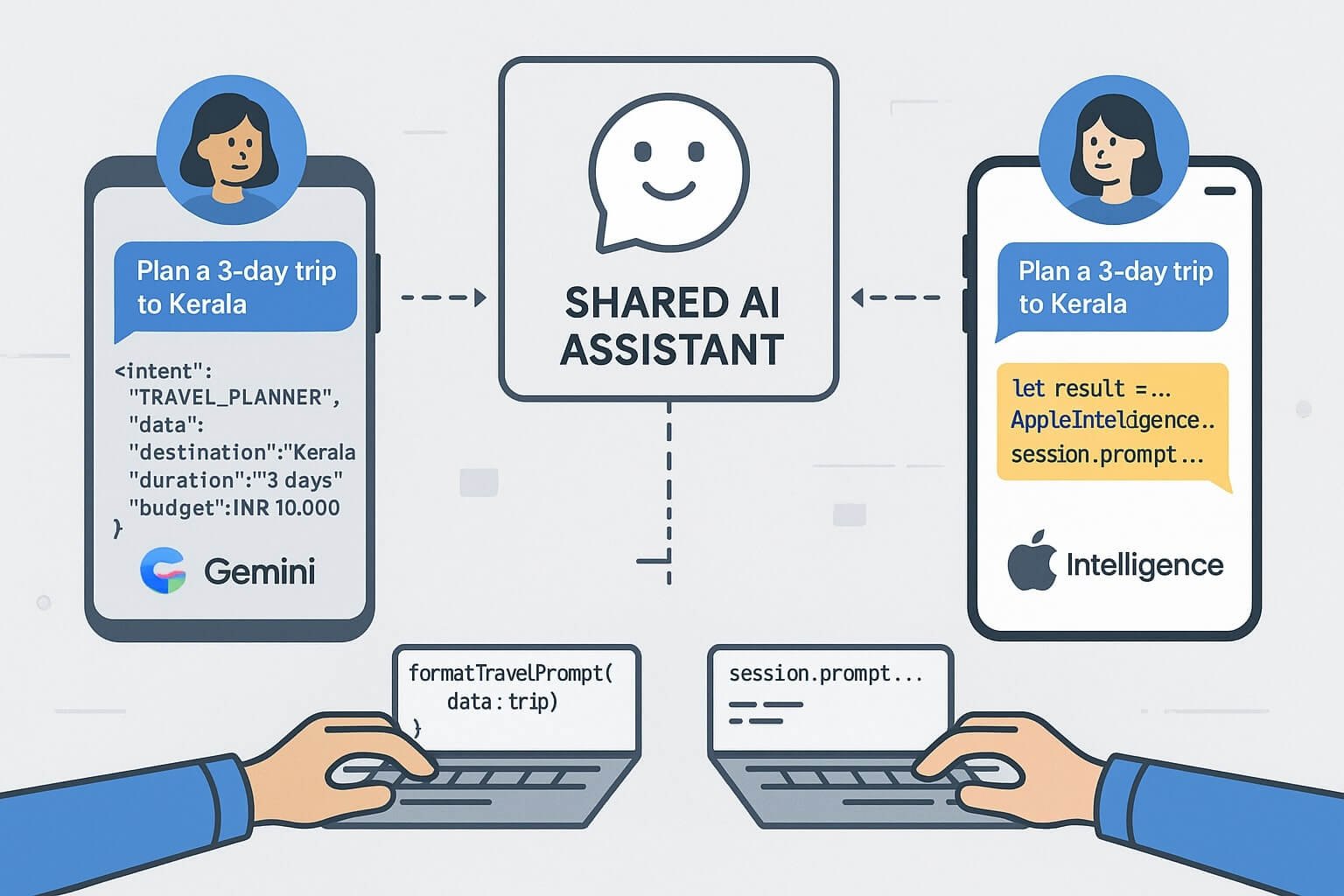
Illustration of a shared AI assistant powering both Android and iOS devices, with connected user flows, synchronized prompts, and developer code samples bridging Swift and Kotlin.

Developers are now building intelligent features for both iOS and Android — often using different AI platforms: Gemini AI on Android, and Apple Intelligence on iOS. So how do you build a shared assistant experience across both ecosystems?

This post guides you through building a cross-platform AI agent that behaves consistently — even when the underlying LLM frameworks are different. We’ll show design principles, API wrappers, shared prompt memory, and session persistence patterns.

📦 Goals of a Shared Assistant

  • Consistent prompt structure and tone across platforms
  • Shared memory/session history between devices
  • Uniform fallback behavior (offline mode, cloud execution)
  • Cross-platform UI/UX parity

🧱 Architecture Overview

The base model looks like this:


              [ Shared Assistant Intent Engine ]
                   /                    \\
      [ Gemini Prompt SDK ]         [ Apple Intelligence APIs ]
           (Kotlin + AICore)           (Swift + AIEditTask)
                   \\                    /
           [ Shared Prompt Memory Sync ]
  

Each platform handles local execution, but prompt intent and reply structure stay consistent.

🧠 Defining Shared Prompt Intents

Create a common schema:


{
  "intent": "TRAVEL_PLANNER",
  "data": {
    "destination": "Kerala",
    "duration": "3 days",
    "budget": "INR 10,000"
  }
}
  

Each platform converts this into its native format:

Apple Swift (AIEditTask)


let prompt = """
You are a travel assistant. Suggest a 3-day trip to Kerala under ₹10,000.
"""
let result = await AppleIntelligence.perform(AIEditTask(.generate, input: prompt))
  

Android Kotlin (Gemini)


val result = session.prompt("Suggest a 3-day trip to Kerala under ₹10,000.")
  

🔄 Synchronizing Memory & State

Use Firestore, Supabase, or Realm to store:

  • Session ID
  • User preferences
  • Prompt history
  • Previous assistant decisions

Send current state to both Apple and Android views for seamless cross-device experience.

🧩 Kotlin Multiplatform + Swift Interop

Use shared business logic for agents in Kotlin Multiplatform Mobile (KMM) to export common logic to iOS:


// KMM prompt formatter
fun formatTravelPrompt(data: TravelRequest): String {
    return "Plan a ${data.duration} trip to ${data.destination} under ${data.budget}"
}
  

🎨 UI Parity Tips

  • Use SwiftUI’s glass-like cards and Compose’s Material3 Blur for parity
  • Stick to rounded layouts, dynamic spacing, and minimum-scale text
  • Design chat bubbles with equal line spacing and vertical rhythm

🔍 Debugging and Logs

  • Gemini: Use Gemini Debug Console and PromptSession trace
  • Apple: Xcode AI Profiler + LiveContext logs

Normalize logs across both by writing JSON wrappers and pushing to Firebase or Sentry.

🔐 Privacy Considerations

  • Store session data locally with user opt-in for cloud sync
  • Mark cloud-offloaded prompts (on-device → server fallback)
  • Provide export history button with logs + summaries

✅ Summary

Building shared AI experiences across platforms isn’t about using the same LLM — it’s about building consistent UX, logic, and memory across SDKs.
🔗 Further Reading

Debugging AI Workflows: Tools and Techniques for Gemini & Apple Intelligence

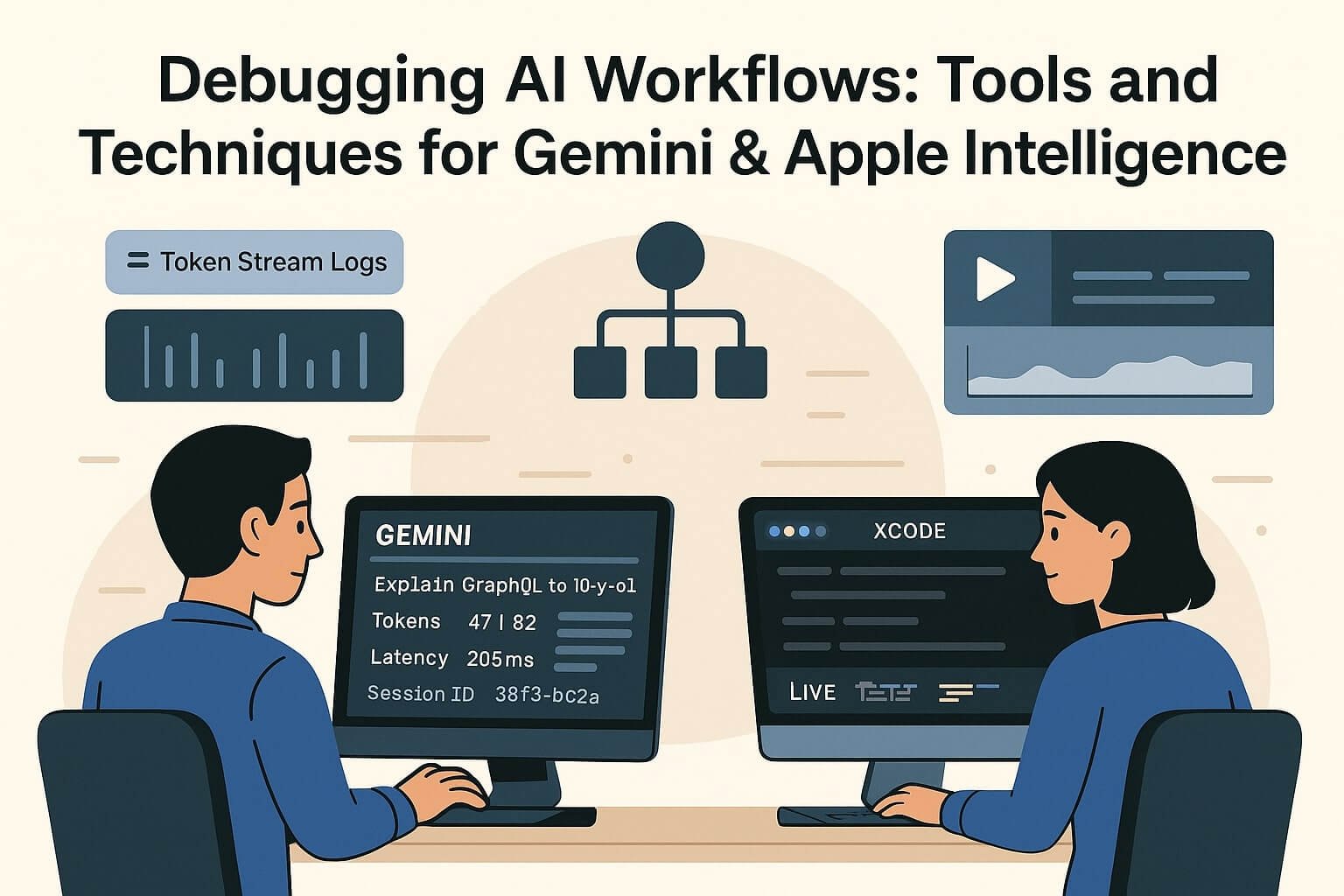
Illustration of developers debugging AI prompts for Gemini and Apple Intelligence, showing token stream logs, latency timelines, and live test panels in Android Studio and Xcode.

As LLMs like Google’s Gemini AI and Apple Intelligence become integrated into mainstream mobile apps, developers need more than good prompts — they need tools to debug how AI behaves in production.

This guide covers the best tools and techniques to debug, monitor, and optimize AI workflows inside Android and iOS apps. It includes how to trace prompt failures, monitor token usage, visualize memory, and use SDK-level diagnostics in Android Studio and Xcode.

📌 Why AI Debugging Is Different

  • LLM output is non-deterministic — you must debug for behavior, not just bugs
  • Latency varies with prompt size and model path (local vs cloud)
  • Prompts can fail silently unless you add structured logging

Traditional debuggers don’t cut it for AI apps. You need prompt-aware debugging tools.

🛠 Debugging Gemini AI (Android)

1. Gemini Debug Console (Android Studio Vulcan)

  • Tracks token usage for each prompt
  • Shows latency across LLM stages: input parse → generation → render
  • Logs assistant replies and scoring metadata

// Gemini Debug Log
Prompt: "Explain GraphQL to a 10-year-old"
Tokens: 47 input / 82 output
Latency: 205ms (on-device)
Session ID: 38f3-bc2a
  

2. PromptSession Logs


val session = PromptSession.create(context)
session.enableLogging(true)
  

Enables JSON export of prompts and responses for unit testing and monitoring.

3. Prompt Failure Types

  • Empty response: Token budget exceeded or vague prompt
  • Unstructured output: Format not enforced (missing JSON key)
  • Invalid fallback: Local model refused → cloud call blocked

🧪 Testing with Gemini

  • Use Promptfoo or Langfuse to run prompt tests
  • Generate snapshots for expected output
  • Set up replays in Gemini SDK for load testing

Sample Replay in Kotlin


val testPrompt = GeminiPrompt("Suggest 3 snacks for a road trip")
val result = promptTester.run(testPrompt).assertJsonContains("snacks")
  

🍎 Debugging Apple Intelligence (iOS/macOS)

1. Xcode AI Debug Panel

  • See input tokenization
  • Log latency and output modifiers
  • Monitor fallback to Private Cloud Compute

2. AIEditTask Testing


let task = AIEditTask(.summarize, input: text)
task.enableDebugLog()
let result = await AppleIntelligence.perform(task)
  

Outputs include token breakdown, latency, and Apple-provided scoring of response quality.

3. LiveContext Snapshot Viewer

  • Logs app state, selected input, clipboard text
  • Shows how Apple Intelligence builds context window
  • Validates whether your app is sending relevant context

✅ Common Debug Patterns

Problem: Model Hallucination

  • Fix: Use role instructions like “respond only with facts”
  • Validate: Add sample inputs with known outputs and assert equality

Problem: Prompt Fallback Triggered

  • Fix: Reduce token count or simplify nested instructions
  • Validate: Log sessionMode (cloud vs local) and retry

Problem: UI Delay or Flicker

  • Fix: Use background thread for prompt fetch
  • Validate: Profile using Instruments or Android Traceview

🧩 Tools to Add to Your Workflow

  • Gemini Prompt Analyzer (CLI) – Token breakdown + cost estimator
  • AIProfiler (Xcode) – Swift task and latency profiler
  • Langfuse / PromptLayer – Prompt history + scoring for production AI
  • Promptfoo – CLI and CI test runner for prompt regression

🔐 Privacy, Logging & User Transparency

  • Always log AI-generated responses with audit trail
  • Indicate fallback to cloud processing visually (badge, color)
  • Offer “Why did you suggest this?” links for AI-generated suggestions

🔬 Monitoring AI in Production

  • Use Firebase or BigQuery for structured AI logs
  • Track top 20 prompts, token overage, retries
  • Log user editing of AI replies (feedback loop)

📚 Further Reading

✅ Suggested TechsWill Posts

25 Free AI Tools Every Developer Should Use in 2025

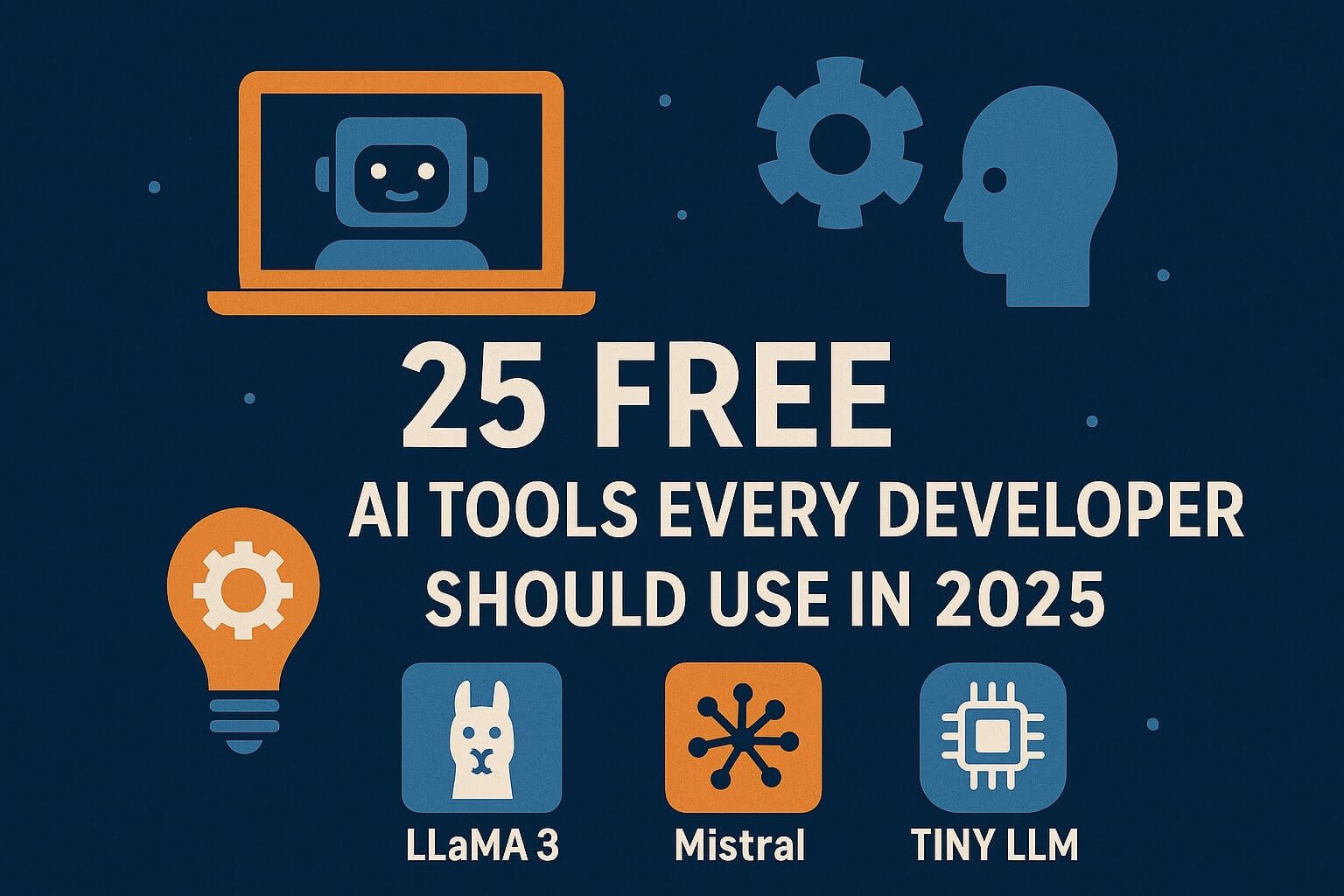
Grid layout of 25 AI tools used by developers in 2025, showing logos and tool icons categorized by code, chat, design, and productivity all styled with a modern flat UI.

AI tools are reshaping how developers code, debug, test, design, and ship software. In 2025, the developer’s toolbox is smarter than ever — powered by code-aware assistants, prompt testing platforms, and no-code AI builders.

This guide covers 25 high-quality AI tools that developers can use right now for free. Whether you’re a backend engineer, frontend dev, ML researcher, DevOps lead, or solo indie hacker — these tools save time, cut bugs, and improve outcomes.

⚙️ Category 1: Code Generation & Autocomplete

1. GitHub Copilot

Offers real-time code suggestions inside VS Code and JetBrains. Trained on billions of public repositories. Free for students, maintainers, and select OSS contributors.

2. Cursor

AI-native IDE built on top of VS Code. Built-in chat for every file. Fine-tune suggestions, run prompts across the repo, and integrate with custom LLMs.

3. Tabnine (Free Tier)

Local-first autocomplete with privacy controls. Works across 20+ languages and most major IDEs.

4. Amazon CodeWhisperer

Best for cloud-native apps. Understands AWS SDKs and makes service suggestions via IAM-aware completions.

5. Continue.dev

Open-source alternative to Copilot. Add it to VS Code or JetBrains to self-host or connect with OpenAI, Claude, or local models like Llama 3.

🧠 Category 2: Prompt Engineering & Testing

6. PromptLayer

Logs and tracks prompts across providers. Add prompt versioning, user attribution, and outcome scoring to any app using OpenAI or Gemini.

7. Langfuse

Capture prompt telemetry, cost, and latency. Monitor LLM responses in production and compare prompt variants with A/B tests.

8. Promptfoo

CLI-based prompt testing framework. Write prompt specs, benchmark responses, and generate coverage reports.

9. OpenPromptStudio

Visual editor for prompt design and slot-filling. Great for teams managing prompts collaboratively with flowcharts.

10. Flowise

No-code LLM builder. Drag-and-drop prompt chains, input routers, and LLM calls with webhook output.

🖥️ Category 3: AI for DevOps & SRE

11. Fiberplane AI Notebooks

Incident response meets LLM automation. Write AI queries against logs and create reusable runbooks.

12. Cody by Sourcegraph

Ask natural language questions about your codebase. Cody indexes your Git repo and helps understand dependencies, functions, and test coverage.

13. DevGPT

Prompt library for engineers. Generate PRs, write test cases, and refactor classes with task-specific models.

14. Digma

Observability meets AI. Digma explains performance patterns and finds anomalies in backend traces.

15. CommandBar

UX Copilot for in-app help. Embed natural language search and action routing inside any React, Vue, or native mobile app.

🧑‍🎨 Category 4: UI/UX and Frontend Tools

16. Galileo AI

Turn text into Figma-level designs. Developers and PMs can draft screens by describing the use case in natural language.

17. Locofy

Convert designs from Figma to clean React, Flutter, and HTML/CSS. Free for hobby projects and open-source contributors.

18. Uizard

Create clickable app mockups with AI suggestions. Sketch wireframes or describe UI in a sentence — Uizard builds interactive flows instantly.

19. Diagram AI (Figma Plugin)

Auto-align, group, and optimize layouts with LLM feedback. Great for large, complex design files.

20. Magician (Design Assistant)

Use prompt-based tools to generate icons, illustrations, and brand elements directly into Figma or Canva.

🧪 Category 5: Documentation, Testing & Productivity

21. Phind

Google for devs. Search for error messages, concepts, and code examples across trusted sources like Stack Overflow, docs, and GitHub.

22. Bloop

AI-powered code search. Ask questions like “Where do we hash passwords?” and get contextual answers from your repo.

23. Quillbot

Rewriting assistant. Use for documentation, readme clarity, and changelog polish.

24. Mintlify Doc Writer

AI-generated documentation inline in VS Code. Best for JS, Python, and Go. Free for solo developers.

25. Testfully (Free API Test Tier)

Generate, run, and validate API test flows using LLMs. Integrates with Postman and OpenAPI specs.

💡 How to Build a Dev Stack with These Tools

Here’s how to combine these tools into real workflows:

  • Frontend Stack: Galileo + Locofy + Copilot + Promptfoo
  • Backend Dev: Tabnine + Digma + Mintlify + DevGPT
  • ML Workflows: Langfuse + PromptLayer + Flowise
  • Startup Stack: Uizard + Continue.dev + CommandBar + Testfully

📊 Feature Comparison Table

ToolUse CaseOffline?Team Ready?Docs
CopilotAutocompleteNo
Continue.devOpen-source IDE
LangfusePrompt TelemetryNo
UizardDesign PrototypingNo
DigmaObservabilityNo

📚 Similar Reading

iOS 26 UI Patterns Developers Should Adopt from visionOS

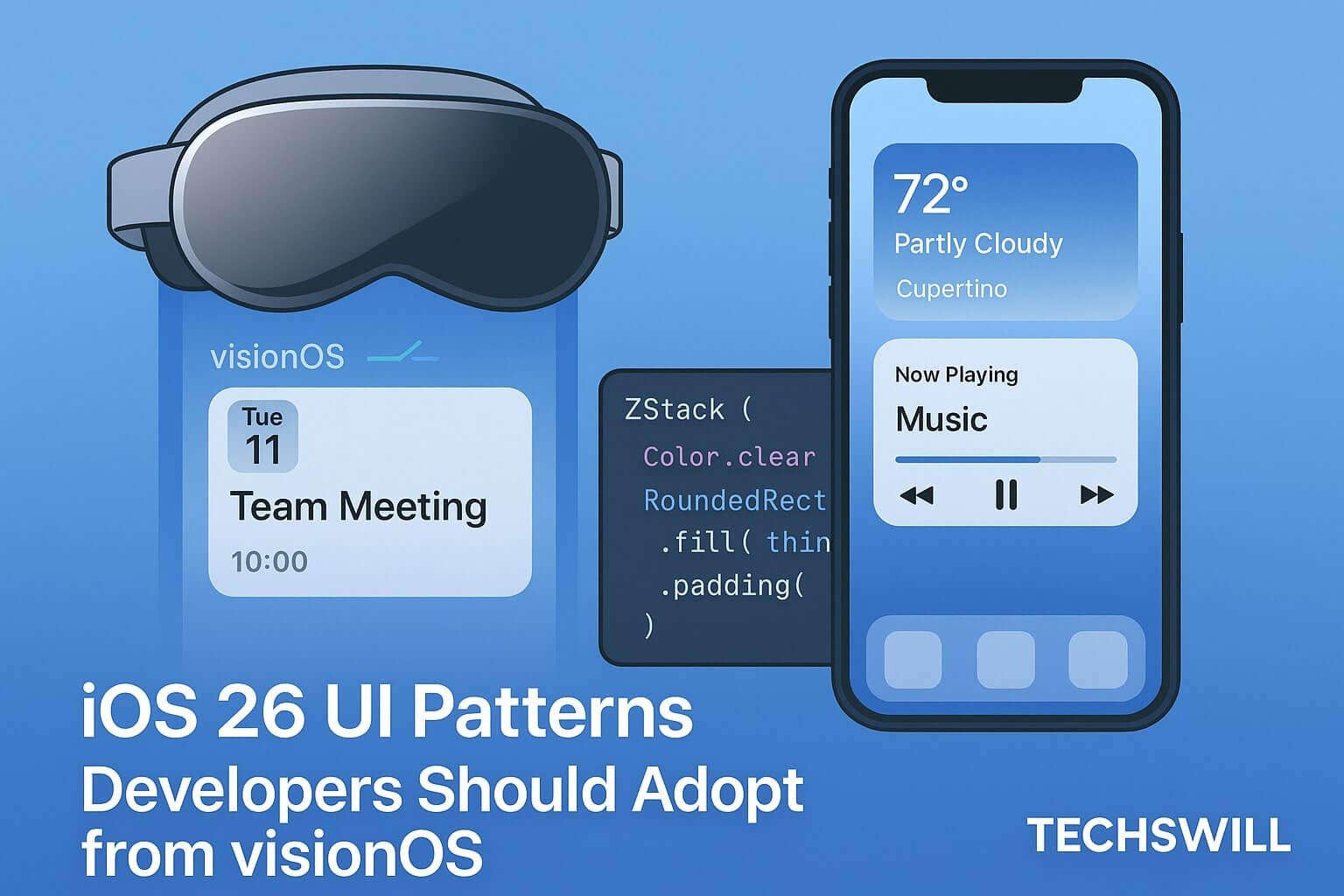
Side-by-side comparison of iOS 26 and visionOS UI styles with SwiftUI layout code, showcasing adaptive layout, blurred cards, and spatial hierarchy in Apple’s latest design system.

Apple’s design language is evolving — and in iOS 26, the company is bridging spatial UI principles from visionOS into the iPhone. With the release of Liquid Glass and SwiftUI enhancements, developers now need to adopt composable, spatially aware, and depth-enhanced design patterns to remain native on iOS and future-ready for Apple Vision platforms.

This comprehensive post explores more than a dozen core UI concepts from visionOS and how to implement them in iOS 26. You’ll learn practical SwiftUI techniques, discover Apple’s new visual hierarchy rules, and see how these patterns apply to real-world apps.

📌 Why visionOS Matters to iOS Devs

Even if you’re not building for Vision Pro, your app’s design will increasingly reflect visionOS patterns. Apple is unifying UI guidelines so users feel visual and interaction continuity across iPhone, iPad, Mac, and Vision Pro.

Key Reasons to Adopt visionOS UI Patterns:

  • Liquid Glass design extends to iPhone and iPad
  • Spatial depth and blurs will become standard for modals, sheets, cards
  • Accessibility and gaze-ready layouts will soon be mandatory for mixed-reality support

🧊 Glass Panels and Foreground Elevation

visionOS apps organize interfaces using translucent glass layers that float above dynamic content. In iOS 26, this is possible with new Material stacks:


ZStack {
  Color.background
  RoundedRectangle(cornerRadius: 32)
    .fill(.ultraThinMaterial)
    .overlay {
      VStack {
        Text("Welcome Back!")
        Button("Continue") { showNext = true }
      }.padding()
    }
    .shadow(radius: 10)
}
  

✅ Use .ultraThinMaterial for layered background blur. Combine with shadows and ZStacks to show visual priority.

📐 Responsive UI with Container Awareness

visionOS UIs scale naturally with user distance and screen size. iOS now mirrors this with LayoutReader and GeometryReader for adaptive views:


@Environment(\.horizontalSizeClass) var size

if size == .compact {
  CompactView()
} else {
  GridLayout(columns: 2) {
    ForEach(items) { ItemCard($0) }
  }
}
  

💡 Combine with presentationDetents to scale modals to device context.

🔄 Spatial Transitions & Matched Geometry

visionOS relies heavily on animated transitions between panels and elements. These behaviors now appear on iOS with matchedGeometryEffect and .scrollTransition.


@Namespace var cardNamespace

CardView()
  .matchedGeometryEffect(id: cardID, in: cardNamespace)
  .transition(.asymmetric(insertion: .opacity, removal: .scale))
  

🎯 This improves continuity between navigation flows, especially in multi-modal apps.

🧭 Navigation Patterns: Sheets, Cards, Drawers

visionOS avoids deep nav stacks in favor of layered sheets and floating panels. iOS 26 supports:

  • .sheet with multiple detents
  • .popover for small-card interactions
  • .fullScreenCover for spatial transitions

.sheet(isPresented: $showSheet) {
  SettingsPanel()
    .presentationDetents([.fraction(0.5), .large])
}
  

These transitions match those found on Vision Pro, enabling natural movement between states.

🎨 VisionOS Visual Styles for iOS

Use This → Instead of This:

  • Material + Card Border → Flat white background
  • Shadowed button on blur → Standard button in stack
  • Scroll view fade/expand → Full-page modals
  • GeometryReader scaling → Fixed pixel height

These give your iOS app the same depth, bounce, and clarity expected in visionOS.

♿ Accessibility & Input Flexibility

  • Label all controls with accessibilityLabel()
  • Group elements with accessibilityElement(children: .combine)
  • Support voiceover via landmarks and hinting

Design assuming pointer, gaze, tap, and keyboard input types.

📚 Further Reading & Resources

✅ Suggested TechsWill Posts:

Best Prompt Engineering Techniques for Apple Intelligence and Gemini AI

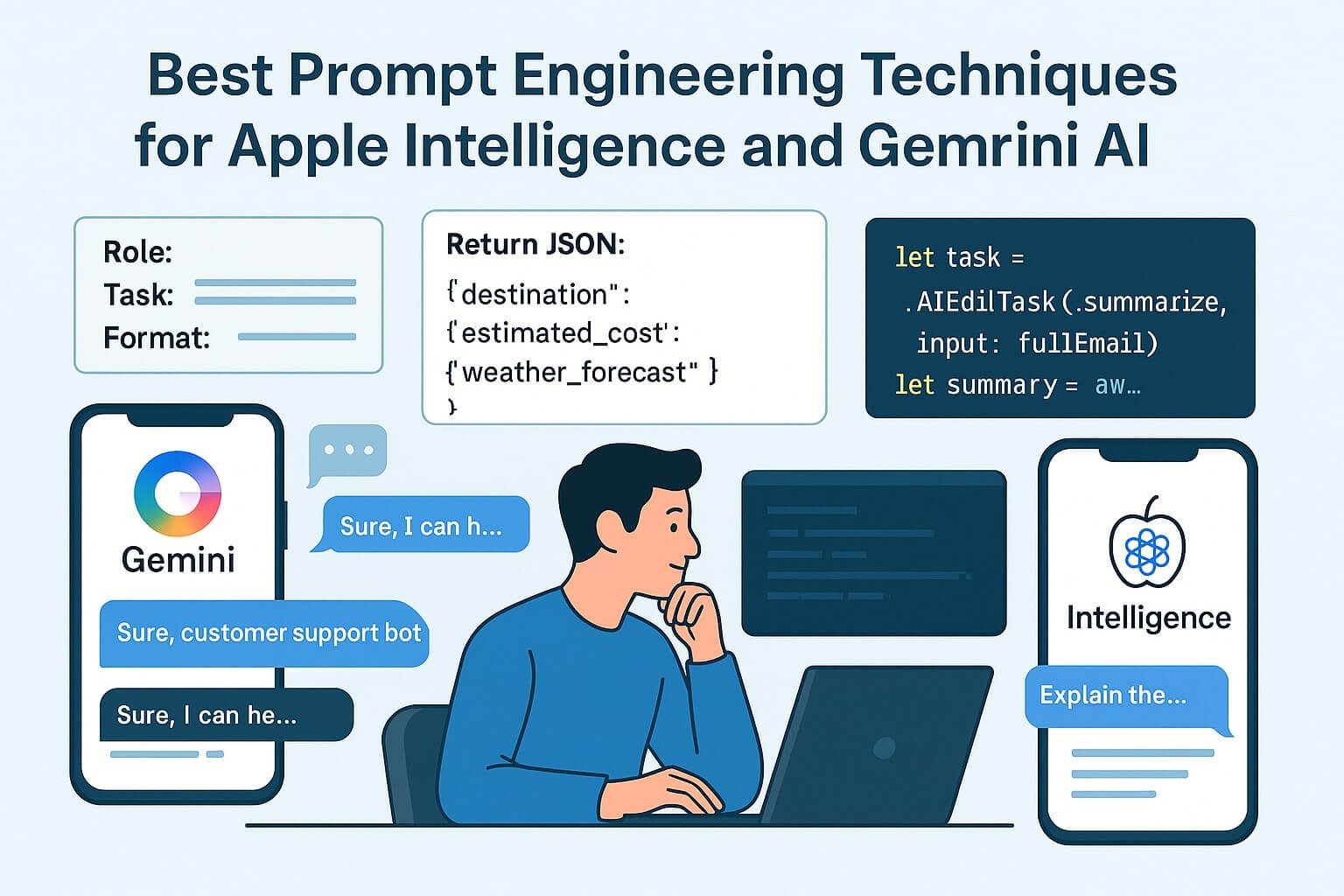
Illustration showing developers testing and refining AI prompts using Gemini and Apple Intelligence, with prompt templates, syntax panels, and code examples in Swift and Kotlin.

Prompt engineering is no longer just a hacky trick — it’s an essential discipline for developers working with LLMs (Large Language Models) in production. Whether you’re building iOS apps with Apple Intelligence or Android tools with Google Gemini AI, knowing how to structure, test, and optimize prompts can make the difference between a helpful assistant and a hallucinating chatbot.

🚀 What Is Prompt Engineering?

Prompt engineering is the practice of crafting structured inputs for LLMs to control:

  • Output style (tone, length, persona)
  • Format (JSON, bullet points, HTML, markdown)
  • Content scope (topic, source context)
  • Behavior (tools to use, functions to invoke)

Both Apple and Gemini provide prompt-centric APIs: Gemini via the AICore SDK, and Apple Intelligence via LiveContext, AIEditTask, and PromptSession frameworks.

📋 Supported Prompt Modes (2025)

PlatformInput TypesMulti-Turn?Output Formatting
Google GeminiText, Voice, Image, StructuredJSON, Markdown, Natural Text
Apple IntelligenceText, Contextual UI, Screenshot InputPlain text, System intents

🧠 Prompt Syntax Fundamentals

Define Role + Task Clearly

Always define the assistant’s persona and the expected task.

// Gemini Prompt
You are a helpful travel assistant.
Suggest a 3-day itinerary to Kerala under ₹10,000.
  
// Apple Prompt with AIEditTask
let task = AIEditTask(.summarize, input: paragraph)
let result = await AppleIntelligence.perform(task)
  

Use Lists and Bullets to Constrain Output


"Explain the concept in 3 bullet points."
"Return a JSON object like this: {title, summary, url}"
  

Apply Tone and Style Modifiers

  • “Reword this email to sound more enthusiastic”
  • “Make this formal and executive-sounding”

In this in-depth guide, you’ll learn:

  • Best practices for crafting prompts that work on both Gemini and Apple platforms
  • Function-calling patterns, response formatting, and prompt chaining
  • Prompt memory design for multi-turn sessions
  • Kotlin and Swift code examples
  • Testing tools, performance tuning, and UX feedback models

🧠 Understanding the Prompt Layer

Prompt engineering sits at the interface between the user and the LLM — and your job as a developer is to make it:

  • Precise (what should the model do?)
  • Bounded (what should it not do?)
  • Efficient (how do you avoid wasting tokens?)
  • Composable (how does it plug into your app?)

Typical Prompt Types:

  • Query answering: factual replies
  • Rewriting/paraphrasing
  • Summarization
  • JSON generation
  • Assistant-style dialogs
  • Function calling / tool use

⚙️ Gemini AI Prompt Structure

🧱 Modular Prompt Layout (Kotlin)


val prompt = """
Role: You are a friendly travel assistant.
Task: Suggest 3 weekend getaway options near Bangalore with budget tips.
Format: Use bullet points.
""".trimIndent()
val response = aiSession.prompt(prompt)
  

This style — Role + Task + Format — consistently yields more accurate and structured outputs in Gemini.

🛠 Function Call Simulation


val prompt = """
Please return JSON:
{
  "destination": "",
  "estimated_cost": "",
  "weather_forecast": ""
}
""".trimIndent()
  

Gemini respects formatting when it’s preceded by “return only…” or “respond strictly as JSON.”

🍎 Apple Intelligence Prompt Design

🧩 Context-Aware Prompts (Swift)


let task = AIEditTask(.summarize, input: fullEmail)
let summary = await AppleIntelligence.perform(task)
  

Apple encourages prompt abstraction into task types. You specify .rewrite, .summarize, or .toneShift, and the system handles formatting implicitly.

🗂 Using LiveContext


let suggestion = await LiveContext.replySuggestion(for: lastUserInput)
inputField.text = suggestion
  

LiveContext handles window context, message history, and active input field to deliver contextual replies.

🧠 Prompt Memory & Multi-Turn Techniques

Gemini: Multi-Turn Session Example


val session = PromptSession.create()
session.prompt("What is Flutter?")
session.prompt("Can you compare it with Jetpack Compose?")
session.prompt("Which is better for Android-only apps?")
  

Gemini sessions retain short-term memory within prompt chains.

Apple Intelligence: Stateless + Contextual Memory

Apple prefers stateless requests, but LiveContext can simulate memory via app-layer state or clipboard/session tokens.

🧪 Prompt Testing Tools

🔍 Gemini Tools

  • Gemini Debug Console in Android Studio
  • Token usage, latency logs
  • Prompt history + output diffing

🔍 Apple Intelligence Tools

  • Xcode AI Simulator
  • AIProfiler for latency tracing
  • Prompt result viewers with diff logs

🎯 Common Patterns for Gemini + Apple

✅ Use Controlled Scope Prompts


"List 3 tips for beginner React developers."
"Return output in a JSON array only."
  

✅ Prompt Rewriting Techniques

– Rephrase user input as an AI-friendly command – Use examples inside the prompt (“Example: X → Y”) – Split logic: one prompt generates, another evaluates

📈 Performance Optimization

  • Minimize prompt size → strip whitespace
  • Use async streaming (Gemini supports it)
  • Cache repeat prompts + sanitize

👨‍💻 UI/UX for Prompt Feedback

– Always show a spinner or token stream – Show “Why this answer?” buttons – Allow quick rephrases like “Try again”, “Make shorter”, etc.

📚 Prompt Libraries & Templates

Template: Summarization


"Summarize this text in 3 sentences:"
{{ userInput }}
  

Template: Rewriting


"Rewrite this email to be more formal:"
{{ userInput }}
  

🔬 Prompt Quality Evaluation Metrics

  • Fluency
  • Relevance
  • Factual accuracy
  • Latency
  • Token count / cost

🔗 Further Reading

✅ Suggested Posts

Integrating Google’s Gemini AI into Your Android App (2025 Guide)

Illustration of a developer using Android Studio to integrate Gemini AI into an Android app with a UI showing chatbot, Kotlin code, and ML pipeline flow.

Gemini AI represents Google’s flagship approach to multimodal, on-device intelligence. Integrated deeply into Android 17 via the AICore SDK, Gemini allows developers to power text, image, audio, and contextual interactions natively — with strong focus on privacy, performance, and personalization.

This guide offers a step-by-step developer walkthrough on integrating Gemini AI into your Android app using Kotlin and Jetpack Compose. We’ll cover architecture, permissions, prompt design, Gemini session flows, testing strategies, and full-stack deployment patterns.

📦 Prerequisites & Environment Setup

  • Android Studio Flamingo or later (Vulcan recommended)
  • Gradle 8+ and Kotlin 1.9+
  • Android 17 Developer Preview (AICore required)
  • Compose compiler 1.7+

Configure build.gradle


plugins {
  id 'com.android.application'
  id 'org.jetbrains.kotlin.android'
  id 'com.google.aicore' version '1.0.0-alpha05'
}
dependencies {
  implementation("com.google.ai:gemini-core:1.0.0-alpha05")
  implementation("androidx.compose.material3:material3:1.2.0")
}
  

🔐 Required Permissions


<uses-permission android:name="android.permission.AI_CONTEXT_ACCESS" />
<uses-permission android:name="android.permission.RECORD_AUDIO" />
<uses-permission android:name="android.permission.POST_NOTIFICATIONS" />
  

Prompt user with rationale screens using ActivityResultContracts.RequestPermission.

🧠 Gemini AI Core Concepts

  • PromptSession: Container for streaming messages and actions
  • PromptContext: Snapshot of app screen, clipboard, and voice input
  • PromptMemory: Maintains session-level memory with TTL and API bindings
  • AIAction: Returned commands from LLM to your app (e.g., open screen, send message)

Start a Gemini Session


val session = PromptSession.create(context)
val response = session.prompt("What is the best way to explain gravity to a 10-year-old?")
textView.text = response.generatedText
  

📋 Prompt Engineering in Gemini

Gemini uses structured prompt blocks to guide interactions. Use system messages to set tone, format, and roles.

Advanced Prompt Structure


val prompt = Prompt.Builder()
  .addSystem("You are a friendly science tutor.")
  .addUser("Explain black holes using analogies.")
  .build()
val reply = session.send(prompt)
  

🎨 UI Integration with Jetpack Compose

Use Gemini inside chat UIs, command bars, or inline suggestions:

Compose UI Example


@Composable
fun ChatbotUI(session: PromptSession) {
  var input by remember { mutableStateOf("") }
  var output by remember { mutableStateOf("") }

  Column {
    TextField(value = input, onValueChange = { input = it })
    Button(onClick = {
      CoroutineScope(Dispatchers.IO).launch {
        output = session.prompt(input).generatedText
      }
    }) { Text("Ask Gemini") }
    Text(output)
  }
}
  

📱 Building an Assistant-Like Experience

Gemini supports persistent session memory and chained commands, making it ideal for personal assistants, smart forms, or guided flows.

Features:

  • Multi-turn conversation memory
  • State snapshot feedback via PromptContext
  • Voice input support (STT)
  • Real-time summarization or rephrasing

📊 Gemini Performance Benchmarks

  • Text-only prompt: ~75ms on Tensor NPU (Pixel 8)
  • Multi-turn chat (5 rounds): ~180ms per response
  • Streaming + partial updates: enabled by default for Compose

Use the Gemini Debugger in Android Studio to analyze tokens, latency, and memory hits.

🔐 Security, Fallback, and Privacy

  • All prompts processed on-device
  • Only fallback to Gemini Cloud if session size > 16KB
  • Explicit user toggle required for external calls

Gemini logs only anonymous prompt metadata for training opt-in. Sensitive data is sandboxed in GeminiVault.

🛠️ Advanced Use Cases

Use Case 1: Smart Travel Planner

– Prompt: “Plan a 3-day trip to Kerala under ₹10,000 with kids” – Output: Budget, route, packing list – Assistant: Hooks into Maps API + calendar

Use Case 2: Code Explainer

– Input: Block of Java code – Output: Gemini explains line-by-line – Ideal for edtech, interview prep apps

Use Case 3: Auto Form Generator

– Prompt: “Generate a medical intake form” – Output: Structured JSON + Compose UI builder output – Gemini calls ComposeTemplate.generateFromSchema()

📈 Monitoring + DevOps

  • Gemini logs export to Firebase or BigQuery
  • Error logs viewable via Gemini SDK CLI
  • Prompt caching improves performance on repeated flows

📦 Release & Production Best Practices

  • Bundle Gemini fallback logic with offline + online tests
  • Gate Gemini features behind toggle to A/B test models
  • Use intent log viewer during QA to assess AI flow logic

🔗 Resources

✅ Suggested Posts

Threads for Developers: New API, Social Feed Customization & Monetization Tools

Illustration showing a developer dashboard with Threads API, embedded post customization, monetization toggles, and analytics panels branded with Meta + Threads icons.

Updated: June 2025

Meta’s Threads platform has officially opened its gates to developers with the launch of the Threads Public API. For the first time, developers can create, customize, embed, and monetize Threads content programmatically. The rollout comes at a critical time as Meta aims to solidify Threads as a core component of its social ecosystem and an open-standard complement to Instagram and ActivityPub-based networks.

🧩 Threads Public API Overview

The Threads Public API is REST-based and supports both read and write operations. Developers can now:

  • Read public posts and threads from any user
  • Create, edit, and delete content programmatically
  • Embed Threads feeds or individual posts into apps, blogs, or platforms
  • Fetch interaction metrics such as likes, reshares, and replies

Authentication is managed via OAuth 2.0 using Meta App credentials, and scopes include read_threads, write_threads, and metrics_threads.

Sample Threads API Usage


// Get latest Threads from a user
curl -X GET "https://graph.threads.net/v1/users/{user-id}/threads" \\
  -H "Authorization: Bearer {access-token}"
  
Colorful interface showing drag-and-drop blocks, character sprites, UI menus, and logic connectors, symbolizing no-code game design tools like GDevelop and Buildbox

🎨 Social Feed Customization with Embedded Threads

Meta has also introduced a Threads Embedded SDK, allowing developers to insert Threads content dynamically into their apps and sites. Features include:

  • Post Customizer: Show/hide comments, re-thread chains, and like buttons
  • Widget Themes: Light/dark system themes or custom brand palettes
  • Display Modes: Carousel, vertical stack, grid

Example: Embed a Thread Post in Blog


<script src="https://cdn.threads.net/embed.js"></script>
<div class="threads-embed" data-post-id="123456789"></div>
  

This unlocks real-time social proof, cross-platform engagement, and native app integration for startups, creators, and news outlets.

💰 Monetization Tools for Developers

Threads is rolling out monetization features that allow developers and creators to share revenue generated through their content or tools. Features include:

  • Affiliate Post Labels: Earn share-per-click on embedded affiliate Threads
  • In-App Subscriptions: Unlock bonus replies, comment visibility, or feed pinning
  • Ad Revenue Sharing: Through Meta’s Branded Content Tools for eligible dev partners

To enable monetization, apps must be registered with Meta for Business and comply with Threads Platform Monetization Terms.

📊 Analytics & Dev Console

The Threads Developer Console includes:

  • Live Feed Activity Dashboard (views, engagement, CTR)
  • Audience Graph Tools (follower clustering, growth heatmaps)
  • Performance Export in CSV or BigQuery-ready JSON

This makes it simple to benchmark API performance or power cross-platform creator dashboards.

🔐 Privacy & Open Standards

All Threads API activity complies with Meta’s transparency and privacy standards. Threads remains compatible with ActivityPub, so developers building for Mastodon and BlueSky will find architectural familiarity.

  • Data minimization by default
  • User consent for cross-posting or embedding
  • Scoped tokens for granular permission control

🚀 Who Should Build with Threads API?

This platform is especially valuable for:

  • Social app builders needing embeddable UGC
  • Creators & toolmakers managing Threads presence programmatically
  • Startups with niche communities looking to integrate branded Threads content

🔗 Further Reading

✅ Suggested TechsWill Posts:

Android 17 Preview: Jetpack Reinvented, AI Assistant Unleashed

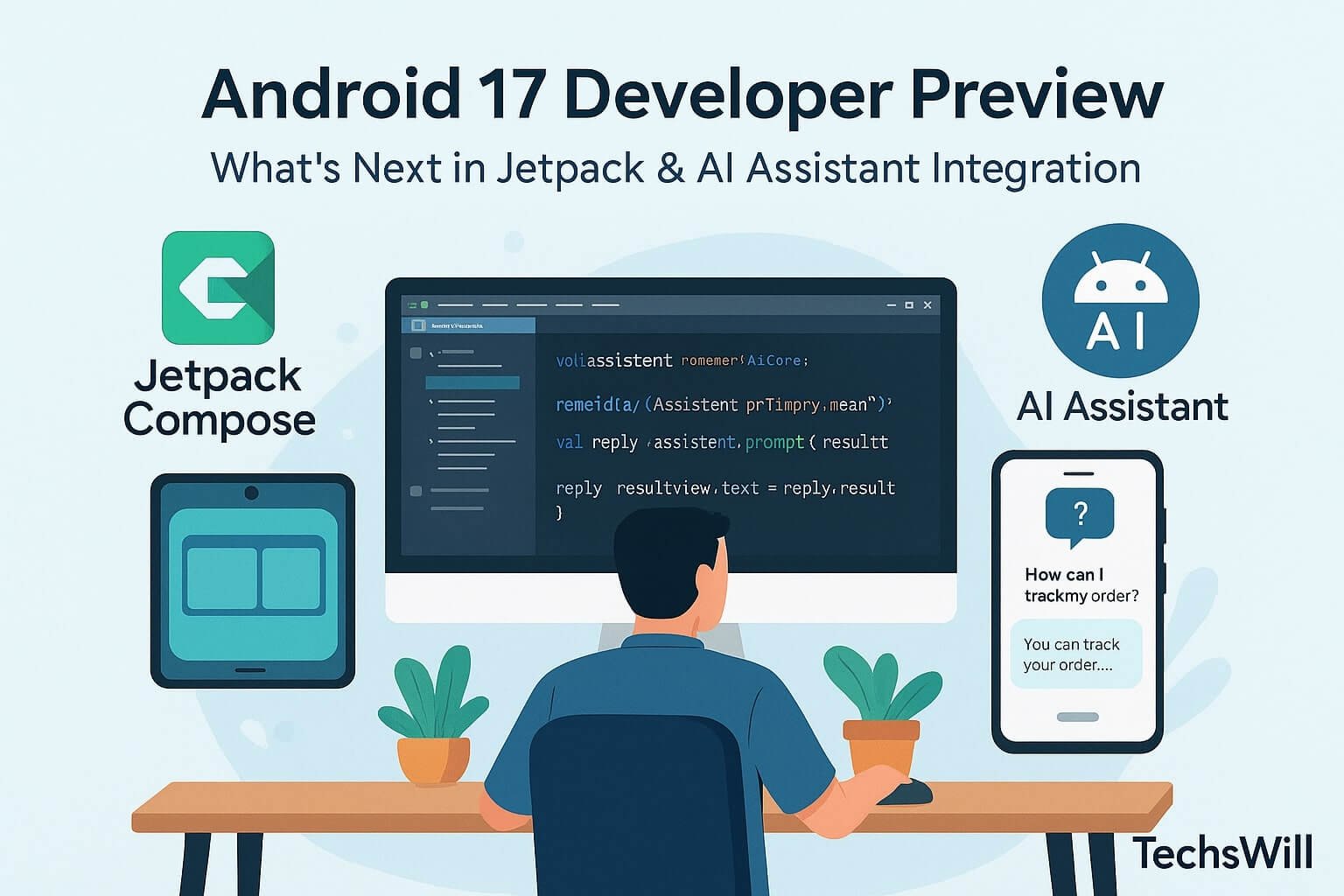
Illustration of Android Studio with Jetpack Compose layout preview, Kotlin code for AICore integration, foldable emulator mockups, and developer icons

Android 17 is shaping up to be one of the most developer-centric Android releases in recent memory. Google has doubled down on Jetpack Compose enhancements, large-screen support, and first-party AI integration via the new AICore SDK. The 2025 developer preview gives us deep insight into what the future holds for context-aware, on-device, privacy-first Android experiences.

This comprehensive post explores the new developer features, Kotlin code samples, Jetpack UI practices, on-device AI security, and use cases for every class of Android device — from phones to foldables to tablets and embedded displays.

🔧 Jetpack Compose 1.7: Foundation of Modern Android UI

Compose continues to evolve, and Android 17 includes the long-awaited Compose 1.7 update. It delivers smoother animations, better modularization, and even tighter Gradle integration.

Key Jetpack 1.7 Features

  • AnimatedVisibility 2.0: Includes fine-grained lifecycle callbacks and composable-driven delays
  • AdaptivePaneLayout: Multi-pane support with drag handles, perfect for dual-screen or foldables
  • LazyStaggeredGrid: New API for Pinterest-style masonry layouts
  • Previews-as-Tests: Now you can promote preview configurations directly to instrumented UI tests

Foldable App Sample


@Composable
fun TwoPaneUI() {
  AdaptivePaneLayout {
    pane(0) { ListView() }
    pane(1) { DetailView() }
  }
}
  

The foldable-first APIs allow layout hints based on screen posture (flat, hinge, tabletop), letting developers create fluid experiences across form factors.

🧠 AICore SDK: Android’s On-Device Assistant Platform

The biggest highlight of Android 17 is the introduction of AICore, Google’s new on-device assistant framework. AICore allows developers to embed personalized AI assistants directly into their apps — with no server dependency, no user login required, and full integration with app state.

AICore Capabilities

  • Prompt-based AI suggestions
  • Context-aware call-to-actions
  • Knowledge retention within app session
  • Fallback to local LLMs for longer queries

Integrating AICore in Kotlin


val assistant = rememberAICore()
val reply = assistant.prompt("What does this error mean?")
LaunchedEffect(reply) {
  resultView.text = reply.result
}
  

Apps can register their own knowledge domains, feed real-time app state into AICore context, and bind UI intents to assistant actions. This enables smarter onboarding, form validation, user education, and troubleshooting.

🛠️ MLKit + Jetpack Compose + Android Studio Vulcan

Google has fully integrated MLKit into Jetpack Compose for Android 17. Developers can now use drag-and-drop machine learning widgets in Jetpack Preview Mode.

MLKit Widgets Now Available:

  • BarcodeScannerBox
  • PoseOverlay (for fitness & yoga apps)
  • TextRecognitionArea
  • Facial Landmark Overlay

Android Studio Vulcan Canary 2 adds an AICore debugger, foldable emulator, and trace-based Compose previewing — allowing you to see recomposition latency, AI task latency, and UI bindings in real time.

🔐 Privacy and Local Execution

All assistant tasks in Android 17 run locally by default using the Tensor APIs and Android Runtime (ART) sandboxed extensions. Google guarantees:

  • No persistent logs are saved after prompt completion
  • No network dependency for basic suggestion/command functions
  • Explicit permission prompts for calendar, location, microphone use

This new model dramatically reduces battery usage, speeds up AI response times, and brings offline support for real-world scenarios (e.g., travel, remote regions).

📱 Real-World Developer Use Cases

For Productivity Apps:

  • Generate smart templates for tasks and events
  • Auto-suggest project summaries
  • Use MLKit OCR to recognize handwritten notes

For eCommerce Apps:

  • Offer FAQ-style prompts based on the product screen
  • Generate product descriptions using AICore + session metadata
  • Compose thank-you emails and support messages in-app

For Fitness and Health Apps:

  • Pose analysis with PoseOverlay
  • Voice-based assistant: “What’s my next workout?”
  • Auto-track activity goals with notification summaries

🧪 Testing, Metrics & DevOps

AICore APIs include built-in telemetry support. Developers can:

  • Log assistant usage frequency (anonymized)
  • See latency heatmaps per prompt category
  • View prompt failure reasons (token limit, no match, etc.)

Everything integrates into Firebase DebugView and Logcat. AICore also works with Espresso test runners and Jetpack Compose UI tests.

✅ Final Thoughts

Android 17 is more than just an update — it’s a statement. Google is telling developers: “Compose is your future. AI is your core.” If you’re building user-facing apps in 2025 and beyond, Android 17’s AICore, MLKit widgets, and foldable-ready Compose layouts should be the foundation of your design system.

🔗 Further Reading

✅ Suggested Posts:

WWDC 2025: Everything Apple Announced — From Liquid Glass to Apple Intelligence

Infographic showing iPhone, Mac, Apple Watch, and Apple Intelligence icon with the headline “WWDC 2025: Everything Apple Announced”.

Updated: June 2025

Apple’s WWDC 2025 keynote delivered a sweeping update across all platforms — iOS, iPadOS, macOS, watchOS, tvOS, and visionOS — all tied together by a dramatic new design language called Liquid Glass and an expanded AI system branded as Apple Intelligence.

Here’s a full breakdown of what Apple announced and how it’s shaping the future of user experience, productivity, AI integration, and hardware continuity.

🧊 Liquid Glass: A Unified Design System

The new Liquid Glass design system brings translucent UI layers, subtle depth, and motion effects inspired by visionOS to all Apple devices. This includes:

  • iOS 26: Revamped lock screen, dynamic widgets, and app icon behavior
  • macOS Tahoe: Window layering, new dock styles, and control center redesign
  • watchOS 26 & tvOS 26: Glassy overlays with adaptive lighting + haptic feedback

This marks the first platform-wide UI refresh since iOS 7 in 2013, and it’s a bold visual evolution.

📱 iOS 26: AI-Powered and Visually Smarter

iOS 26 debuts with a smarter, more connected OS framework — paired with native on-device AI support. Highlights include:

  • Dynamic Lock Screen: Background-aware visibility adjustments
  • Live Translation in Calls: Real-time subtitle overlays for FaceTime and mobile calls
  • Genmoji: Custom emoji generated via AI prompts
  • Messages 2.0: Polls, filters, and shared group memories
  • Revamped apps: Camera, Phone, and Safari redesigned with gesture-first navigation
Illustration depicting the Apple logo juxtaposed with the European Union flag, symbolizing regulatory scrutiny

💻 macOS 26 “Tahoe”

  • Continuity Phone App: Take and make calls natively from your Mac
  • Refined Spotlight: More accurate search results with embedded previews
  • Games App: New hub for Apple Arcade and native macOS titles
  • Metal 4: Upgraded rendering engine for smoother gameplay and 3D workflows

⌚ watchOS 26

The watchOS update turns your Apple Watch into an even smarter daily companion:

  • Workout Buddy: AI fitness assistant with adaptive coaching
  • Wrist Flick Gestures: One-handed control with customizable actions
  • Smart Stack: Enhanced widget behavior based on context

🧠 Apple Intelligence (AI Framework)

Apple Intelligence is Apple’s on-device AI suite and includes:

  • Live Translation: Real-time interpretation in multiple languages via device-only inference
  • Visual Understanding: Context-aware responses from screenshots, photos, and screens
  • Writing Tools: AI auto-editing, tone correction, and summary generation for email & messages
  • Image Playground: Text-to-image generation with personalization presets

All processing is done using the new Private Cloud Compute system or locally, ensuring data privacy.

🖥️ tvOS 26 + visionOS 26

  • Cinematic UI: Adaptive overlays with content-based color shifts
  • Camera Access in Photos App: Seamlessly import and edit live feeds from other Apple devices
  • Improved Hand Gesture Detection: For visionOS and Apple TV interactions

🛠️ Developer Tools

WWDC 2025 brings developers:

  • Xcode 17.5: Support for Liquid Glass layers, Genmoji toolkits, and AI code completions
  • SwiftUI 6: Multi-platform adaptive layout and AI-gesture bindings
  • Apple Intelligence API: Text summarization, generation, translation, and visual reasoning APIs

🔗 Further Reading

✅ Suggested Posts:

AI-Powered Travel: How Technology is Transforming Indian Tourism in 2025

Infographic showing AI planning an Indian travel itinerary, using UPI payments, real-time translations, and sustainable tourism icons.

In 2025, planning and experiencing travel across India has transformed into a seamless, AI-enhanced adventure. From booking high-speed trains and eco-resorts to real-time translation and UPI-based spending, artificial intelligence has redefined how both domestic and international travelers navigate India’s vast and diverse destinations.

This post explores how emerging technologies are powering the new age of Indian tourism — and how startups, developers, and travel service providers can prepare for this shift.

🚆 AI as Your New Travel Agent

Gone are the days of comparing flight portals and juggling PDFs. Today, AI assistants like BharatGPT and integrations with Google Gemini handle everything from itinerary planning to budget balancing.

  • Natural Language Queries: “Plan me a ₹20,000 trip to Coorg with 2 kids for 3 days” — and the AI responds with a curated, optimized plan.
  • Dynamic Re-Routing: Changes in train schedules, traffic jams, or weather triggers alternate plans instantly.
  • Multilingual Personalization: BharatGPT responds in over 25 Indian languages, adjusting tone and recommendations based on user preferences.

💸 Cashless, Contactless: UPI & Blockchain

India’s travel sector is now a UPI-first economy. Whether you’re paying for street snacks in Jaipur or museum tickets in Chennai, UPI QR codes are ubiquitous.

  • UPI with Face Recognition: Linked to DigiLocker + Aadhaar for instant secure verification at airports and hotels.
  • Blockchain Passport Logs: Some airlines now offer blockchain-stored travel histories for immigration simplification.
  • Tap-to-Travel Metro Cards: Unified NFC passes now cover local trains, metros, buses, and even autorickshaws in Tier-1 cities.

🧭 Real-Time Translation & Hyper-Local Content

Language barriers have nearly disappeared thanks to AI-enhanced language tech built into travel apps like RedBus, Cleartrip, IRCTC, and government portals.

  • AI Captioning Glasses: Real-time subtitles of regional dialects during guided tours
  • Voice Interpreters: BharatGPT integration into wearables like Noise and boAt smartwatches
  • Auto-Correcting Menus: OCR-driven translations on restaurant menus with AI-suggested dishes based on dietary preferences

🌿 Sustainable Tourism: Tech for the Planet

The Ministry of Tourism, in collaboration with NASSCOM, launched “Green Miles” — a gamified rewards system that promotes carbon-neutral travel:

  • Eco-Badges: Earn credits for train over flights, reusable water, or staying in solar-powered hotels
  • Reward Redemptions: Credits can be used for discounted tickets at wildlife parks, national monuments, and more
  • AI Route Optimization: Suggested itineraries now factor in carbon scores and sustainability ratings

✈️ Smart Airports, Smarter Journeys

With the DigiYatra system scaling across India’s 30+ airports, AI-driven security and biometrics have eliminated queues:

  • Face-First Boarding: No tickets, no ID — just a selfie scan
  • Flight Delay Prediction: ML models analyze weather, load, and traffic in real time
  • Personalized Duty-Free Offers: AI-curated deals based on travel history and spending profile

👩‍💻 Developer Opportunities in TravelTech

There’s a thriving ecosystem for tech startups and freelance developers to build solutions for India’s booming AI-powered tourism industry:

  • APIs for Train Data: Use IRCTC and NTES for real-time train tracking, cancellations, and coach occupancy
  • UPI Integration SDKs: Simplify booking flows by integrating UPI AutoPay for hotels or guides
  • AI Prompt APIs: Use generative language tools to build travel-chatbots that personalize itineraries or respond to FAQs

🔮 Future Outlook: What’s Next?

  • AI-Only Airlines: AirAI (pilotless domestic drones) is under trial in North India
  • AR City Guides: Mixed-reality overlays to navigate landmarks in real-time
  • Emotion-Based Itineraries: AI now detects mood (via voice + watch sensors) to adjust pace and recommendations

🔗 Further Reading